Appointment reminder texts: the cadence and templates we deploy.
The three-text appointment reminder cadence we set up for clients, copy-paste templates included, plus the manual layer for high-ticket calls and the rules that keep reminders from annoying anyone.
Founder, Cursive Media
- Read time
- 10 min read
- Updated
TL;DR
- Send three automated texts: a confirmation at booking, a confirm-or-reschedule text 24 hours out, and the link or address again 2–3 hours before.
- Short-notice bookings get fewer texts, never crammed ones, and every reply (C, R, STOP or anything else) needs somewhere to go.
- High-ticket appointments get a human layer on top; routine ones stop at three texts.
No-shows aren’t a character flaw in your customers. They’re what happens when a booking made Tuesday has to survive until Friday inside a brain juggling forty other things. Reminder texts are the cheapest fix in the entire automation catalog, and after setting them up for client after client, the pattern that works is boringly consistent: three automated texts, each with one job.
Here’s the exact cadence we deploy, the templates to steal, and the part most guides skip: how to remind people without making them feel processed.
The three-text cadence
One: instant confirmation, the moment they book. It confirms date, time, timezone, and how the appointment happens. For a phone appointment it should also name the number the call will come from. That one detail bumps pickup rates, because a call from a number you’re expecting gets answered and a mystery number gets voicemail.
Two: the decision reminder, 24 hours out. This is the one that actually prevents no-shows, because it forces a small decision while there’s still time to rebook the slot: confirm or reschedule, one tap either way.
Three: the life-happens catch-all, 2–3 hours before. Short, warm, with the link or address again so nobody’s digging through old texts in the parking lot.
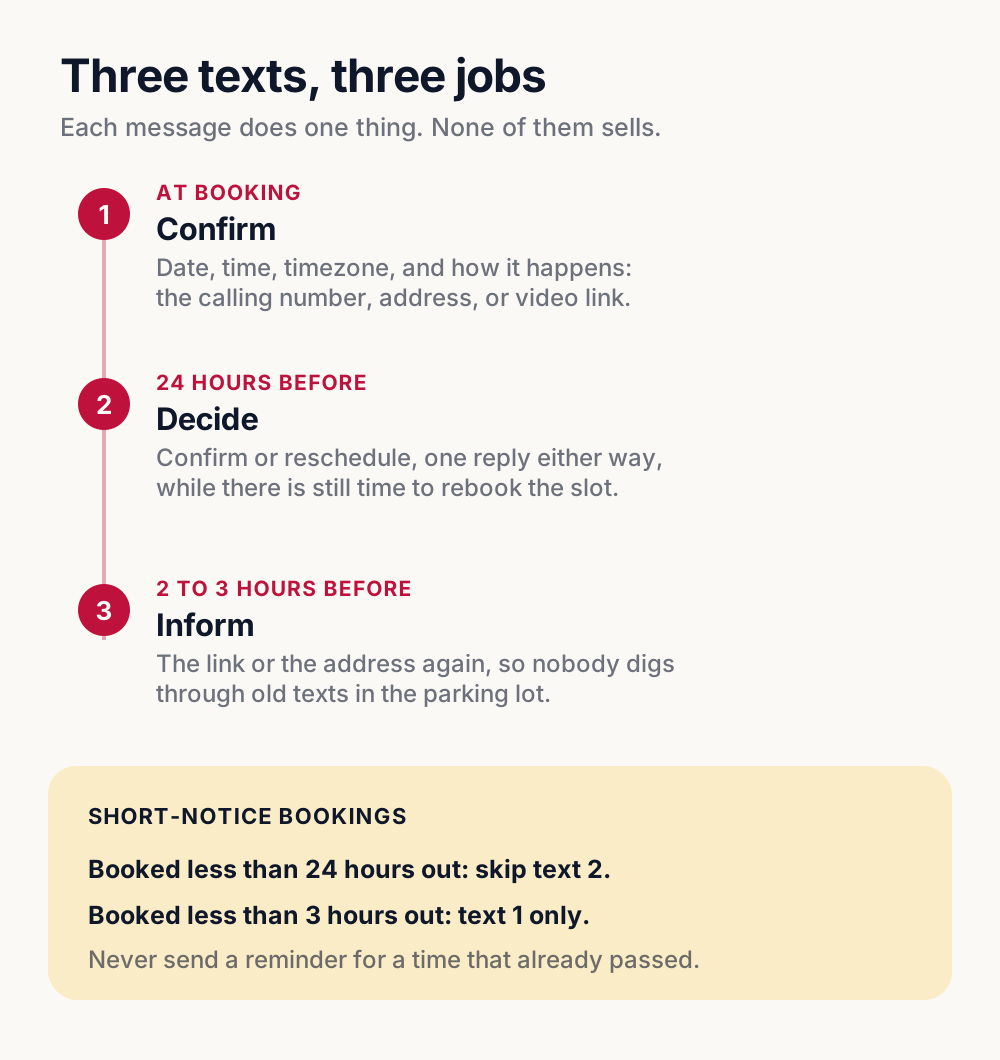
The cadence assumes the booking is at least a day out. When it isn’t, the fix is to drop texts instead of cramming them, so add two rules to whatever runs your reminders. Someone who books this afternoon for tonight doesn’t need a decision text an hour after the confirmation, so skip text two for bookings less than 24 hours out. Someone who books for 90 minutes from now needs the confirmation and nothing else, so under three hours, send only text one. With those two rules in place, the system never sends a reminder for a time that already passed.
Templates to steal
- Confirmation (instant): "You’re booked! [Service] on [date] at [time] [timezone]. We’ll call you from [number]. Need to change it? [link] Reply STOP to unsubscribe."
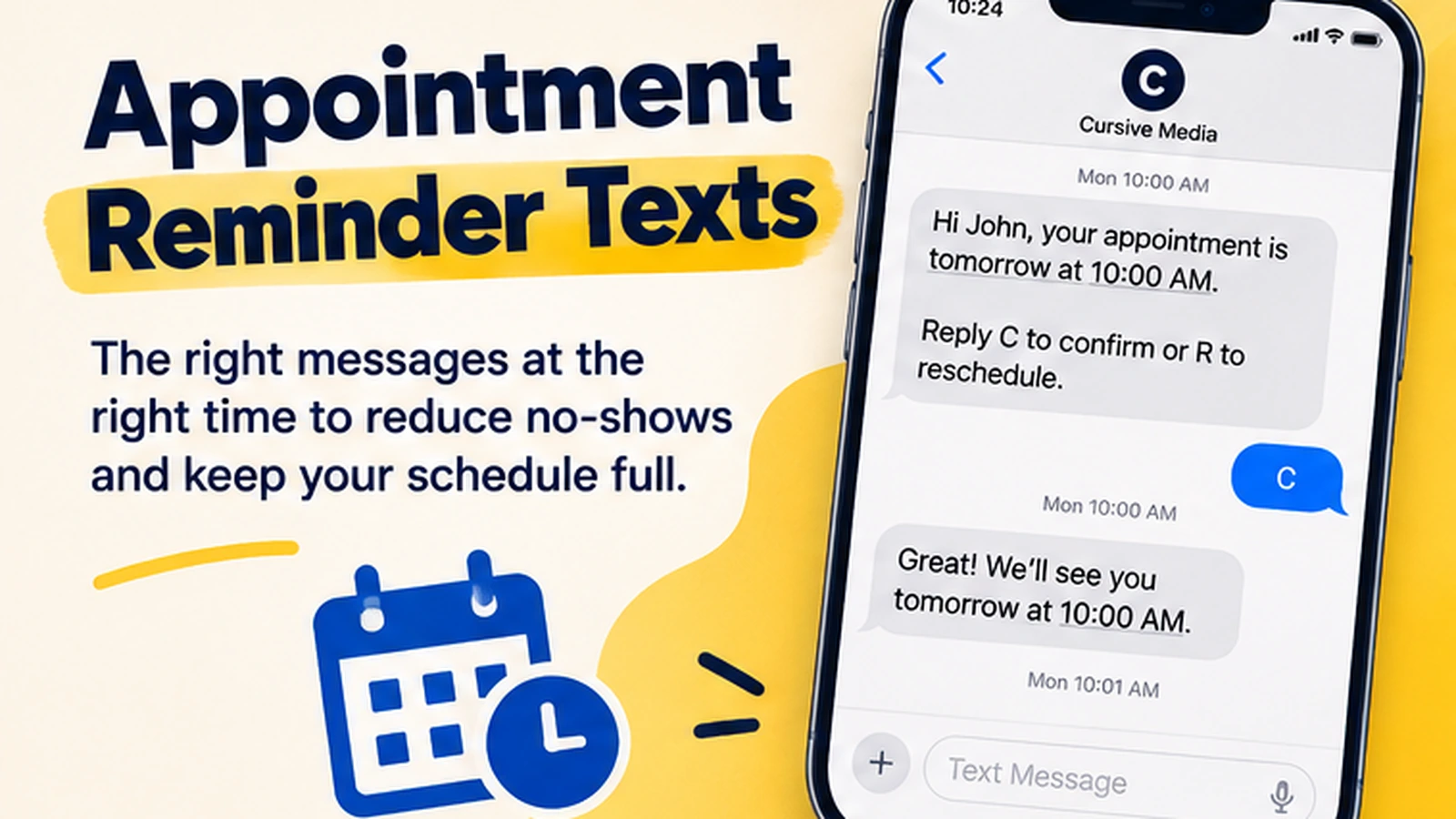
- Decision reminder (24h): "You’re on for tomorrow at [time]. Reply C to confirm or R to reschedule."
- Catch-all (2–3h): "You’re up in a couple hours. Same link: [link]. Need to move it? [reschedule link]"
- After-hours booking bonus: "Got your booking for [date]! We’re closed right now, but you’re confirmed. Details coming in the morning."
Every template obeys the same law: one job per message. Confirm, decide, or inform. Never all three, never an essay. If a reminder text needs a scroll bar, it’s doing marketing, and reminder threads are the wrong place for marketing. The one extra line is the opt-out on the confirmation: if it’s the first text you’ve ever sent that person, check your texting provider’s policy. Twilio’s messaging policy, for one, says the initial message “needs to include” “Reply STOP to unsubscribe” or an equivalent.
The confirmation’s "how it happens" line changes with the appointment. Swap in the one that fits:
| Appointment | Line for the confirmation |
|---|---|
| Phone call | "We’ll call you from [number]." |
| Office visit | "We’re at [address]. [Parking or entry note]." |
| Video call | "Join here: [video link]. It works on your phone too." |
| We come to you | "[Tech name] arrives between [window]. We’ll text when they’re on the way." |
Use the same detail again in the 2–3 hour catch-all, since that’s the one people go looking for in the parking lot or two minutes before the call.
The high-ticket layer
For appointments that really matter, like sales calls and consults where a no-show costs hundreds, we stack a manual layer on top of the automation: a short text from a real phone the night before around 6pm, another the morning of, and one an hour out. Typed by a human, reading like a human. A barber doesn’t need this. A business whose average booked call is worth four figures absolutely does, and the asymmetry is the point: automate the routine, spend human minutes where a saved appointment pays for the effort a hundred times over.
How to not be annoying
People don’t hate reminders. They hate being tricked, and they hate being trapped. (There’s a compliance floor under all of this too, since carriers and the consent rules decide whether these texts deliver at all.) So: be honest about which texts are automated. The same disclosure rule we push for AI receptionists applies to a reminder thread. Always include an easy out ("Need to cancel or change? Tap here"); an escape hatch is what makes the rest feel respectful instead of naggy. Send in the customer’s timezone during human hours. And for low-stakes appointments, resist the urge to add touches. Three automated texts is the whole system.
A reminder system works when the customer feels looked after, not chased.
Wiring it up
Any decent platform can run this. We build it in GoHighLevel because the calendar, the SMS thread, and the contact record already live together. A booking triggers the workflow, replies land where your team works, and a "R" reply can kick off rescheduling without a human in the loop. It’s the same native-workflow argument as missed call text back, and the two share a phone number and a conversation view when you set them up together.
The part to decide before you switch anything on is where each reply goes. "Reply C or R" is a promise, and a reply that lands nowhere breaks it:
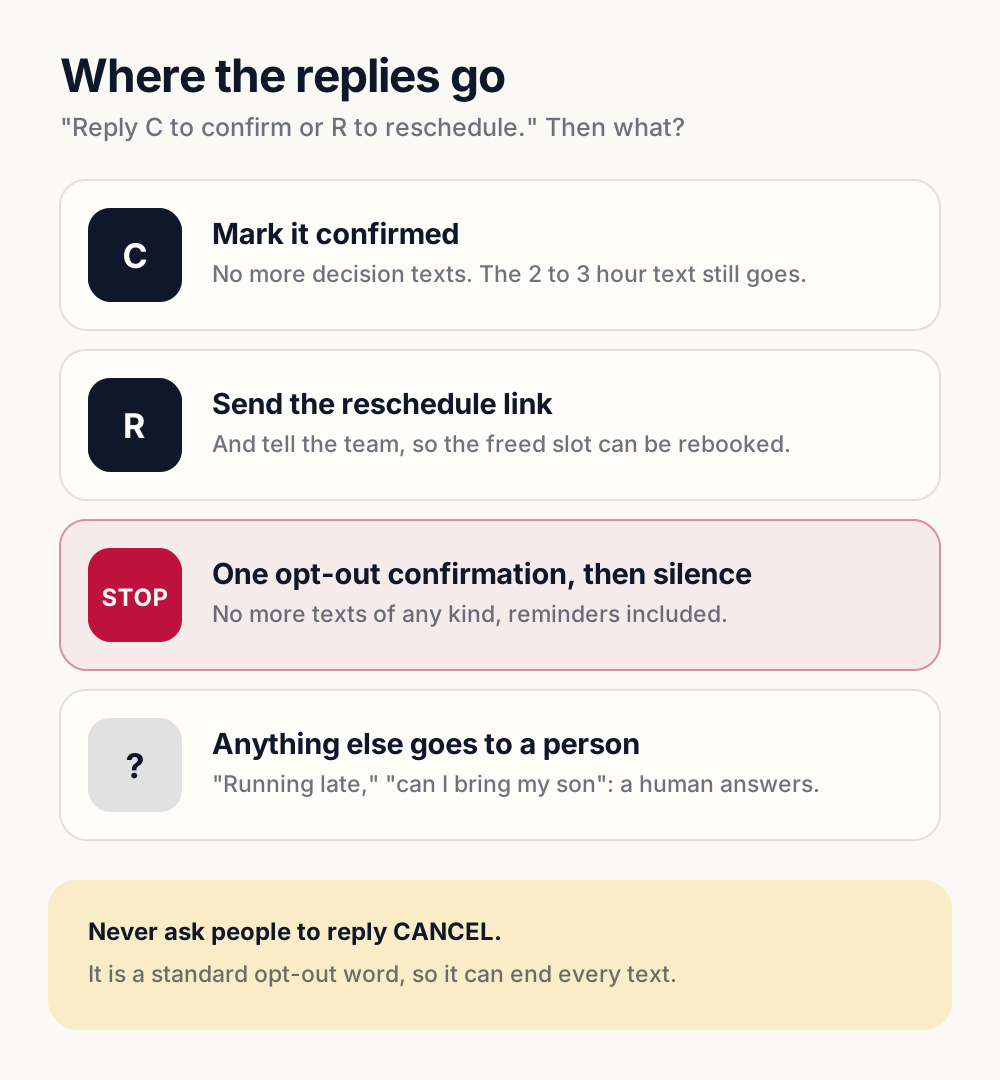
STOP isn’t a reply you get to design. Twilio’s policy allows “one final message to confirm” the opt-out, and “any subsequent messages are prohibited,” so the reminder sequence has to end there too. It also lists CANCEL among the standard opt-out keywords, which is why the templates ask for C and R and never "reply CANCEL to cancel."
Reminder sequences are a standard piece of the automation we build, and they are usually the first thing to switch on because no-shows cost money immediately. Reminders are one block of the larger machine we map in the 30-day automation roadmap, alongside lead response, follow-up, and review asks. This is usually an afternoon of wiring on the tools you probably already have.
Founder, Cursive Media