Don't load a GoHighLevel snapshot into a live account.
What a snapshot copies, what it leaves behind, and what to do if someone already dumped one on production.
John "Holliday" Mahlow
Founder, Cursive Media
- Read time
- 5 min read
- Written
A snapshot copies workflows, funnels, calendars, forms, and dashboards from one HighLevel sub-account into another. It is a template. HighLevel's own help article says the funnels and websites arrive as drafts, and that once applied, a snapshot cannot be "unloaded" or "deleted."
That is the whole warning. If the account already has contacts, a phone number, and workflows that fire, do not treat a snapshot like a migration. You are stacking a second business on top of the first, and there is no undo button.
We run Agency Pro and we audit accounts that already paid for this lesson. The pattern is boring. An agency or a freelancer stood it up in an afternoon, handed over a login, and left. If the system went live in a day, it was a stock template. We wrote that down in what a GoHighLevel agency actually sells.
What a snapshot copies, and what it doesn't.
HighLevel publishes the list in its snapshots overview. A snapshot can bring over workflows and triggers, funnels and websites, forms, calendars, custom fields, pipelines, tags, email and text templates, dashboards, and review settings, plus a long list of other assets.
What stays behind is everything that makes the account yours. HighLevel's list includes:
- Contacts
- Appointments
- Conversations and message history
- Reputation data
- Stripe connections
- Integrations and third-party account connections
There is no phone number anywhere on the copy list, either. HighLevel even notes that a copied Voice AI agent needs a number assigned after loading. So the thing that looks "done" in a demo is the shell. Your number, your domain, your pipeline stages, your missed-call text, your review request: none of that is finished because a file landed.
Someone still has to map the template to how you sell, connect the number and the domain, turn the right workflows on, turn the wrong ones off, test a fake lead, and write down what fires. That last part is the job. The snapshot is the starting zip.
We load snapshots too. When a client comes in as a new sub-account under us, our snapshots pre-build the pipelines and workflows, so the account starts loaded instead of blank. That is the use HighLevel puts first in its own list of benefits. The trouble starts when the destination already has a business running in it.
Why a live account is the wrong place to unzip it.
HighLevel does support loading a snapshot into an existing sub-account, and its walkthrough says the load won't delete your current data. Data is only replaced if you pick Override in the conflict check. What changes is what fires, and four things go wrong when the destination already has history.
One: the new workflows sit next to the old ones. A missed call can now hit two texts, a review request can fire from a template with the wrong delay, and the snapshot's pipelines bring their own stage names, which may not be the stages your team actually moves.
Two: the conflict check can overwrite what works. When a snapshot asset conflicts with one already in the account, HighLevel asks you to pick Override or Skip. Override swaps your version for the template's. HighLevel's own FAQ answers what happens if you override by accident: "The action cannot be undone." Pick Override on a workflow your team built and tuned, confirm the import, and the template's version replaces it for good.
Three: HighLevel only documents draft status for some of it. It says funnels and websites come in as drafts and "won't be live until you connect a custom domain and publish them." Its docs make no such promise about workflows. People see an unpublished funnel, assume nothing is live, and skip the workflows. Open every one and check.
Four: you cannot unload it. HighLevel's answer is that a snapshot, once applied, can't be unloaded, and that "You can delete or modify specific elements manually." Cleanup is one piece at a time: delete it or fix it by hand. There is no unload button.
Skip the panic if you loaded the snapshot into an empty sandbox sub-account and haven't connected a real number. That is what sandboxes are for. The problem is production.
If it already happened.
Don't load a second snapshot. Don't refresh or push a snapshot update until you know what is on.
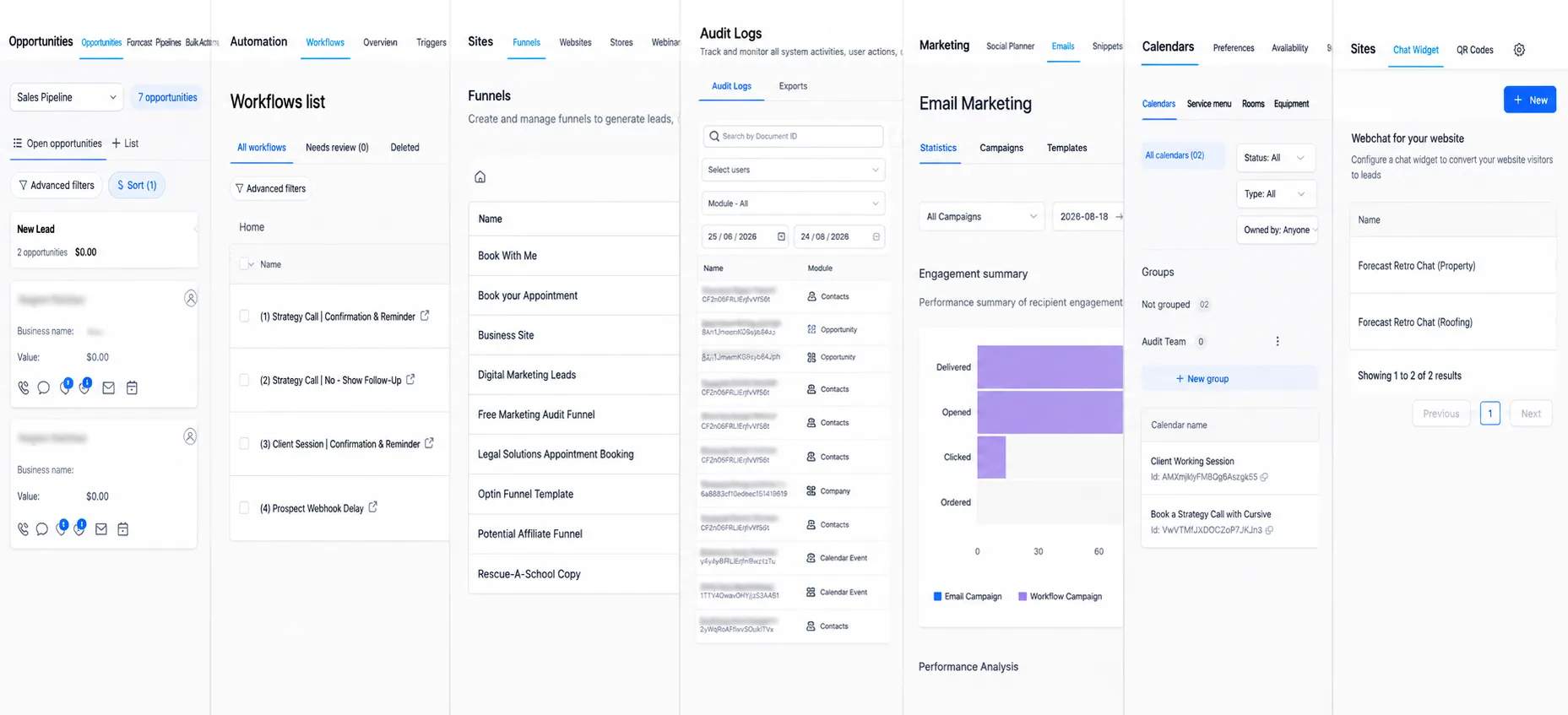
Walk the account in the same order we use on messy logins: opportunities, workflows, funnels, audit log, email, calendars, chat. The full walk is in how we audit the account in this order. For a snapshot incident, add four checks at the workflow step:
- In Workflows, open Advanced Filters and filter by last updated date. Anything changed the day the snapshot landed is a suspect.
- Open each live workflow and read the trigger. If you can't say in one sentence who it's for, turn it off.
- Search for duplicate names ("Missed Call," "Missed Call Text Back," "MC Text - Snapshot"). Keep one. Kill the rest.
- Send one test lead from a number you control. Watch what texts, what books, what waits.
Then decide patch or rebuild. A patch is fine when the snapshot only added unused drafts and your original follow-up still works. A rebuild is cheaper when two systems are interleaved and nobody can draw the path from missed call to booked job to review request.
Our GoHighLevel page doesn't name those clients until each one says yes. The three results we publish there all come from accounts we cleaned up after someone else built them. A home services company's lead response time went from 4 hours to under 2 minutes in the first 30 days. A med spa went from 18 to 41 booked appointments a month in 90 days. A roofer went from following up 1 in 5 missed calls to following up every one in 60 days. None of those started with "load this snapshot on Friday and go live Monday."
What to do instead.
If the account is empty, load the snapshot into a dummy sub-account first. Turn every workflow off. Turn on one, test it, then the next. When the sandbox behaves, build the real account from what you learned, or copy only the assets you actually want. HighLevel lets you tick individual assets at load time, so take the three you tested, not the whole package.
If the account already has customers in it, skip the snapshot. Write down the two or three jobs that cost you money (missed calls, quote follow-up, the review ask). Build those. Leave the other forty doors shut.
If you inherited the mess and you're done guessing, that's the GoHighLevel account audit. The audit itself is free. We walk what you already pay for and tell you what's broken and what to fix first. If you want us to do the fixing, we quote the hours at $60 an hour before anyone touches a workflow.
The software is legit. The snapshot is not a setup. It is a zip file with no uninstall.
John "Holliday" Mahlow
Founder, Cursive Media