Zapier vs Make: the comparison that actually matters.
Zapier vs Make on pricing, learning curve, and app coverage, plus the question the feature tables skip: whether either belongs under your core workflows.
Founder, Cursive Media
- Read time
- 6 min read
- Written
If you're comparing Zapier and Make, you've probably already outgrown something: the free tier, the two-step zap era, or your patience with a bill. The comparison articles will hand you a feature table. We build automations for businesses every week, so we'll give you the shorter version, and then the question the tables never ask.
The real difference is how they count
Zapier bills by the task: every action a zap performs consumes one, a model we've taken apart before. Make bills by the operation, and its meter is dramatically cheaper. At the time of writing, Make's entry paid tier is around $9 a month for 10,000 operations, while Zapier's is roughly $30 for 750 tasks. Current comparisons put similar workflows at a third of the Zapier bill or less on Make once volume is real, and the gap widens as you scale.
That isn't a rounding error. If your automations run thousands of times a month, the meter choice alone changes your software line item.
Where Zapier still wins
App coverage and speed. Zapier's catalog is the largest anywhere, which means the obscure tool your industry runs on probably connects. The builder is a form, not a diagram; a non-technical owner can ship a working zap in ten minutes and feel clever doing it. For prototypes and low-volume workflows, and for the long-tail apps nothing else connects to, that convenience is genuinely worth paying for.
Where Make wins
Cost at volume and depth of control. Make's scenario builder is a visual canvas with real branching, iteration, and error handling, closer to programming with pictures than filling out a form. The learning curve is steeper; the ceiling is much higher. Teams with someone moderately technical get more machine for less money.
So the honest tool-level verdict is boring: non-technical and low-volume, Zapier; technical enough and volume-heavy, Make. Both are good software. Neither is the interesting decision.
The question the feature tables skip
Switching meters isn't the same as fixing the bill.
Zapier and Make are the same layer of your stack: metered middleware between tools. Moving from one to the other changes the price per event, and changes nothing about the sprawl problem. Undocumented flows, silent failures, business logic scattered across forty scenarios nobody owns. A cheaper meter on a mess is a cheaper mess.
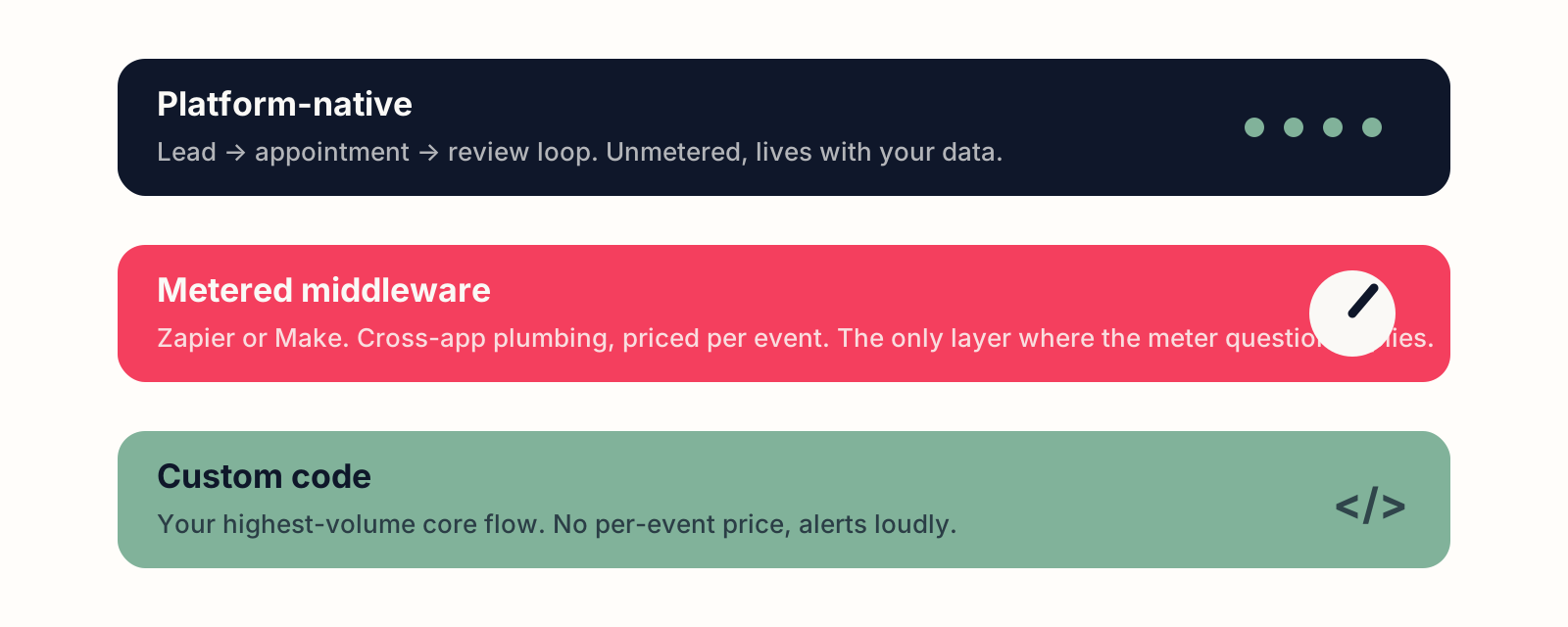
The decision that actually moves the number is which workflows belong on a meter at all. The lead-appointment-review loop that runs a local business belongs inside a platform like GoHighLevel, where those workflows are native and unmetered. Your highest-volume core flow might deserve a small piece of custom code with no per-event price. What's left, the genuinely cross-app plumbing, is where Zapier or Make earns a place, and at that reduced volume the two prices converge anyway.
The decision in three moves
1. Sort workflows by volume times criticality
High-volume and business-critical goes to a platform or code, not a meter. This move usually shrinks the question before either tool gets compared, and it's the one the feature tables never mention.
2. Count the real monthly events in what remains
Under a few hundred, pick Zapier for the catalog and the ease; at that volume, the price difference is lunch money and the convenience is real.
3. Past a few thousand events, learn Make
If someone on the team can handle a visual builder, Make will run the same plumbing for a fraction of the cost, and the scenario canvas pays off exactly where volume makes error handling matter.
We do this sorting for clients as part of our automation work, which regularly includes shrinking a Zapier bill by moving workflows off the meter entirely rather than to a different one. If your task usage graph only goes up, book a strategy call; the fix is usually cheaper than the subscription.
Founder, Cursive Media