GA4 key events: what they are and why numbers differ.
A key event is the action you told Analytics to care about. If nobody ever marked one, every number in your report is a proxy for the thing you wanted to measure.
Founder, Cursive Media
- Read time
- 3 min read
- Updated
TL;DR
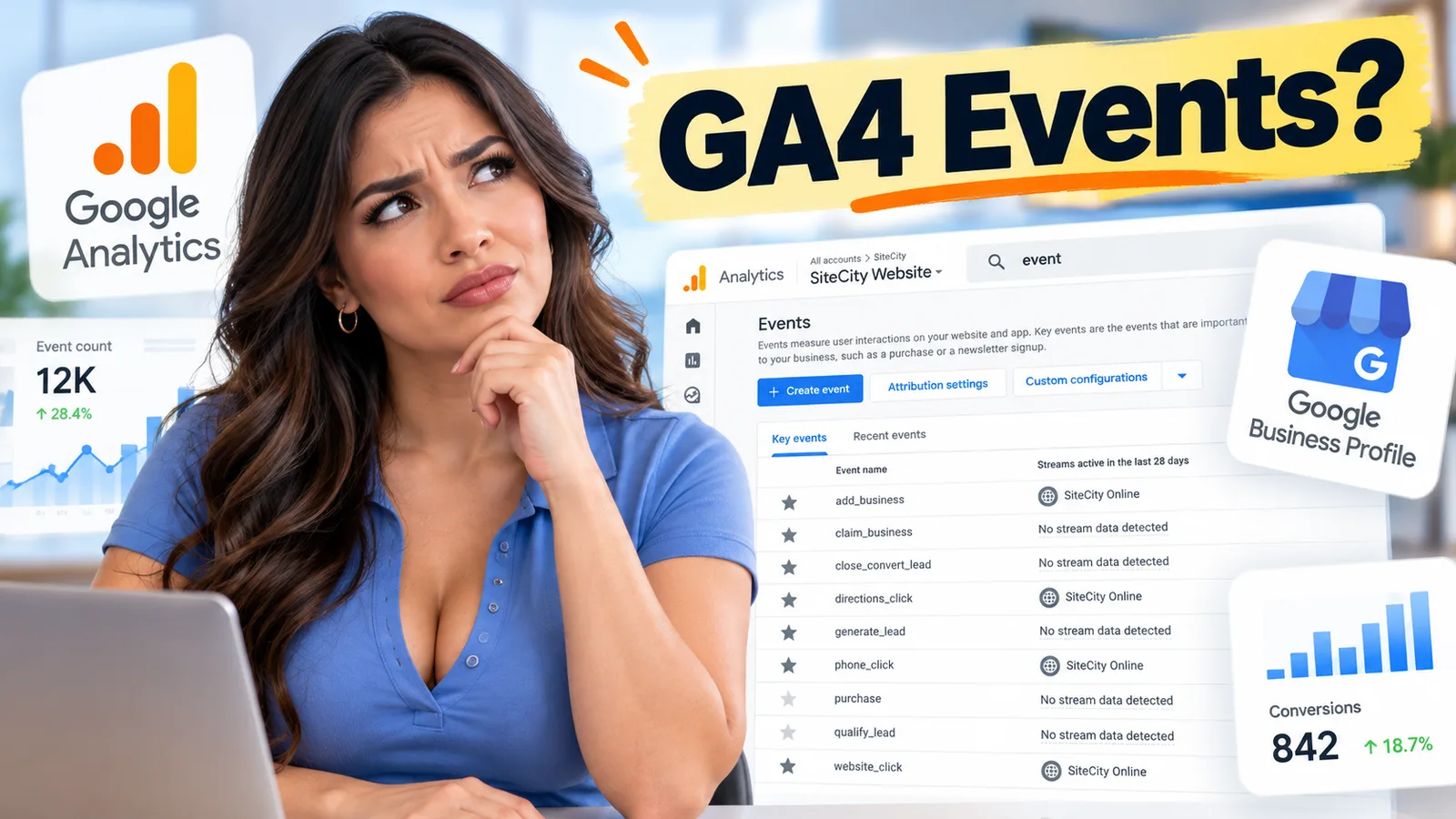
- To mark a key event, open Admin in GA4, click Events under Data display, and click the star next to the event. It needs Editor access, takes up to 24 hours to show, and doesn’t relabel past data.
- Mark one or two actions that mean money: a form that arrives somewhere real, a completed booking, or a tap on the phone number. Not scroll depth or time on page.
- Google Ads conversions don’t appear in standard GA4 reports, so an Ads count of forty and an Analytics count of twenty-six were never the same number.
Somebody told you to open Analytics and check whether a key event exists, on the grounds that a property without one is measuring attention rather than outcomes.
Fair enough. Here is what a key event is, how one gets marked, and why your reports still disagree afterward.
What a key event is
Google's definition is short: a key event measures an action that is particularly important to the success of your business. Any event Analytics already collects can be designated as one.
The mechanism matters more than the definition. You create or identify an event that measures the action, and then you mark that event as a key event. It is a deliberate act by a person who has decided what the business cares about.
Which is why so many properties have none. Nobody skipped a setting. Nobody was ever asked the question.

Why your two reports disagree
Here is the detail worth knowing before your next reporting conversation, because it resolves an argument that usually ends with somebody being accused of broken tracking.
Google states plainly that Google Ads conversions do not appear in standard Google Analytics reports. You can create an Ads conversion from a key event, but they remain separate measurement entities living in separate systems.
So when the agency's Ads report says forty and your Analytics says twenty-six, the honest first answer is that those numbers were never the same number. They are counting different things, in different tools, under different rules. Neither is necessarily wrong, and the useful question is which one corresponds to work you actually did.
Worth confirming both systems are even present before you referee them. Our free tag checker reports whether Google Analytics, the Google tag, the Google Ads tag and the Ads conversion pixel are on your site, which is the cheapest way to rule out the boring explanation.
What to mark
Mark the action that means money, and resist the temptation to mark several more because they are easy to capture.
For most local businesses that is a form submission that arrives somewhere real, a completed booking, or a tap on the phone number. Not scroll depth. Not time on page. Not a video play. Those are interesting and they are not the business, and marking them as key events quietly converts your reporting back into the attention-measuring exercise you were trying to escape.
One or two is usually right. If everything is important, the report cannot tell you what changed.
Marking one takes a minute. In Analytics, open Admin, and under Data display click Events. Find the event and click the star icon next to it. You need Editor access or above on the property to do it. Google says to allow up to 24 hours for it to show up in standard reports, and it counts from that point on; marking an event does not go back and relabel your old data.
What it gets you
Once an event is marked, Google notes you can see how many users perform the action, and see it across your marketing channels. That is the whole point: not how many people arrived, but how many did the thing, and which route they came in by.
It is also what turns the rest of the dashboard from decoration into something you can act on, and what makes the agency conversation short instead of philosophical.
One honest limit. A key event fires on your website, so the phone call somebody makes after reading your page is invisible to it, and for a service business that call is frequently the outcome. Analytics is one instrument, and it is blind to the part of the job that happens offline.
Deciding what counts as a conversion, and then making the tracking say so, is the analytics work most accounts have never had done. If your property has no key event and nobody is sure what should be marked, book a strategy call. Deciding it takes one conversation, and every report you receive afterwards is measuring something you chose.
Founder, Cursive Media