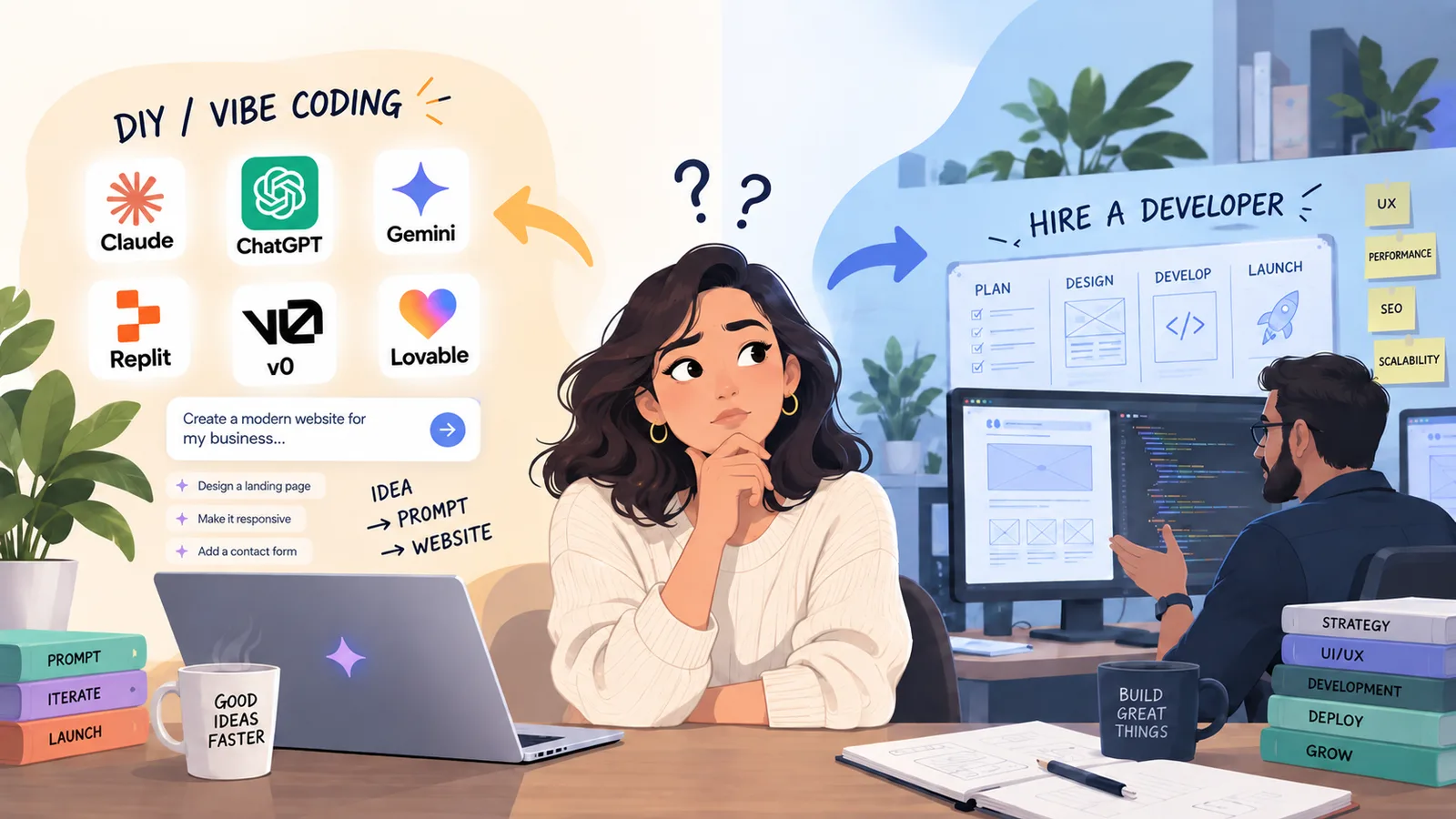
Can ChatGPT build a website? Yes. The question is whether you understand what it built.
Building your own site with ChatGPT is the right call for some businesses. Here is the line where it stops being one, and it arrives earlier than most people expect.
Founder, Cursive Media
- Read time
- 12 min read
- Updated
TL;DR
- Keep building it yourself while the site is mostly informational, nobody depends on it to run the business, and rebuilding it later wouldn’t hurt.
- The line comes earlier than payments or logins: anything that has to talk to another system, starting with a contact form. A form that loses leads looks exactly like one that works.
- None of the three public ChatGPT Sites we checked in September 2026 had a robots.txt, a sitemap, or a canonical URL. Before customers depend on a site, someone should be able to explain how it works and where it fails.
Yes. ChatGPT can produce the code for a real, working website, and in 2026 it can do it from a plain-English prompt in a single sitting, better than most people expect. We build websites and web apps for a living and we use AI in our own work every day, so we’re not going to pretend otherwise.
This also isn’t the post where a web agency tells you AI sites are toys and you should back away slowly toward our pricing page. For a personal site, a resume, a one-pager, or an idea you want in front of people this week, I’d tell you to build it yourself before paying someone like us.
The problem isn’t that AI builds a bad website. It’s that it builds a convincing one. You get something that looks finished, you didn’t pay anyone, and a reasonable conclusion follows: maybe that’s all there was to it.
What “vibe coding” actually means
The term came from developer Andrej Karpathy, and IBM’s definition is worth reading closely because the important word is hiding in it: vibe coding is building products "with nothing but AI tools and natural language prompts." IBM then separates it from what it calls agentic coding or agentic engineering, which involve "more deliberate use of AI coding tools by an experienced programmer."
Read that twice. Vibe coding isn’t defined by using AI. It’s defined by the absence of someone who knows what the AI just did. That distinction is the whole argument of this post, and it means nothing here is an argument against AI. Experienced developers use AI coding tools too. IBM’s distinction is that they use them deliberately.
Getting it to work is not the same as understanding how it works
You tell the AI what you want. It writes something. You test it. It works. That’s a genuine result and you should feel good about it.
But why does it work? What else does that piece depend on? What happens when you come back in six months and ask for one change?
You know that it works. That’s a different thing from knowing why it works, and the gap between those two only shows up on the day something stops.
You might be fixing something or creating something, but you don’t really understand how something works, or why, or why it broke.
The sites I’d tell you to build yourself
No hedging on this, and no manufactured fear. There are websites where hiring a development company is a waste of your money.
- A personal site or portfolio. Build it yourself.
- A CV or resume online. Build it yourself.
- An about-me page, or a single page explaining who you are and what you do.
- An idea you want to validate before spending real money. Speed beats polish here. Generate it, put it in front of people, find out if anyone cares.
- The budget is genuinely zero. A decent AI-generated page beats no website every single time, and nothing here should talk you out of shipping one.
A basic business site can sit in that list too. But the moment it does, there’s one question I’d ask before agreeing: what happens when somebody actually contacts you?
How to get a good result if you try it yourself
If you’re taking a run at this, the difference between a generic page and a good one is mostly in how you ask:
- Feed it your real business, not your category. “A website for a plumber” gets you the median plumber site. Paste in what you actually do, your service area, your real reviews, and how you differ from the competitors you lose jobs to.
- Tell it the one job of the page. “Get visitors to call about water heater replacement” beats “make me a nice website.”
- Build one page first. A five-page site generated in one shot is five mediocre pages.
- Iterate in small, named steps: “move the phone number above the fold,” “cut this section in half.” Ten small rounds beat one giant prompt.
- Make it critique itself. Ask “what would a conversion expert change about this page?” before you ask for changes.
- Ask for the unglamorous parts. Meta title and description, descriptive alt text on every image, one h1 and a sane heading order. ChatGPT does these well, but only if you ask.
Do that and you’ll have a page you’re not embarrassed by. Now for the part under the waterline.
What three published ChatGPT sites actually ship
ChatGPT can now host the site too. OpenAI’s Sites feature, in public beta on paid plans as of September 2026, lets ChatGPT “create, host, refine, and share websites, web apps, and games.” In September 2026 we pulled the raw HTML of three public Sites: a prompt guide, a personal portfolio, and a design showcase.
The good news first. All three put their text in the page itself, readable without JavaScript, and each had a title and meta description written for that site. A search engine can read them.
Then the parts nobody asks for. None of the three had a robots.txt file or a sitemap; both addresses came back as a 404. None declared a canonical URL. None had a form: the one with a contact option used a plain email link. OpenAI’s Sites page doesn’t mention robots.txt, sitemaps, or canonical tags at all.
None of that sinks a portfolio, which sits on the list above for a reason. It matters when the site is supposed to bring in work, because those are exactly the pieces nobody thinks to ask a chat window for.
I tried Sites myself to see what it does, and the thing I couldn’t pin down was usage. OpenAI’s page says plan-specific usage limits apply during the beta, and that reaching one “can prevent you from creating a Site, adding storage, or keeping a high-usage Site public.” It doesn’t list the numbers. Read plainly, a Site that gets busy enough can stop being public, which is worth knowing before a business depends on it for leads.
A contact form is where I start asking questions
Most advice puts the DIY line at something dramatic: payments, logins, user accounts. I put it much earlier, and much more boringly: the line is anything that has to communicate with a third party. A form counts. Payments and integrations are the same beast, just louder.
A visitor types their name, phone, email and a message, and clicks a button. That looks like the simplest thing on the internet. So: where did that lead go? Did anyone receive it? Was it stored, or does it live in one email somebody can delete? Did it reach your CRM, with the right source attached so you know which ad or page produced it? Did an automation fire? Did the customer get a confirmation? What happens if the CRM is down for ten minutes? Does the lead queue, or evaporate? What happens when the same person submits twice? And the one that actually gets people: how would you know, three months from now, that it quietly stopped working?
A form that swallows leads looks exactly like a form that works. That’s the whole problem. Nothing turns red. You just get fewer calls and never find out why.
This is why I get cautious when someone says they only need a “simple website.” Sometimes they do. Sometimes what they actually need is the front door of a lead system, and nobody has said that out loud yet. A lead answered in five minutes and a lead answered tomorrow are different businesses, and the instant reply and follow-up that make the difference (10 things every local business should be automating) don’t live on the page at all.
You can fix your own car from a YouTube video too
None of this is a claim that people can’t do it. They can. You watch a video about fixing a car or doing plumbing work, you follow it, and it works. Websites are the same.
The trouble isn’t the instructions. It’s that following them successfully doesn’t teach you the system around them. The video solved one specific problem. It didn’t explain what else that part touches, or what it means when the symptom comes back different next month.
Connecting a form to a CRM, taking payments, syncing appointments, calling an API, triggering an automation: each might only take a few prompts. How those pieces behave together is the part the prompts don’t cover.
The real test is the day something breaks
The happy path is easy. Customer fills out the form, contact appears in the CRM, text goes out, appointment gets booked, everyone’s pleased. Nobody needs a professional for the happy path.
Then one day a lead doesn’t arrive. Is it the form, the CRM, the workflow, the service in between, or a change somebody made last Tuesday? If you understand the system, you start eliminating possibilities. If you don’t, you’re describing symptoms to an AI and hoping.
And there are two costs in that, not one. The first is the time you spend not knowing. The second is quieter and worse: while the AI fixes the thing you reported, you’re hoping it doesn’t break something that was working fine. That’s the part you never see in the five-minute demo where someone builds an app from a prompt.
That’s not an argument against using AI to fix it. We do. The difference is judgment about what to accept, what to test, and when the answer on screen doesn’t make sense.
An engineer with no stake in this says the same thing
In September 2026 Mitchell Hashimoto, who founded HashiCorp and has rather more credibility on this than a Houston web shop, posted what he calls his "whiteboard defense," and described it as his benchmark for responsible AI usage:
I should be able to pull you aside at any moment and ask you to explain any customer-facing system you’ve shipped. You should be able to clearly explain how it works and defend the decisions you made.
He’s explicit that this isn’t about memorizing code: "I don’t expect line-level familiarity with the code." The test is whether you can answer why you did X instead of Y, what happens if someone behaves maliciously, and where this fails.
He also makes the same concession I did. For proofs of concept, demos and experiments, his position is: "Generate 100% of it and understand none of it. Speed over quality every time in those specific scenarios." Then: "if you’re shipping customer-facing work, you can’t be shipping things you don’t understand at a high level."
That’s the line, drawn by someone with no interest in selling you a website. Build your experiment however you like. When a customer is on the other end, somebody should be able to answer “where does this fail?” That somebody doesn’t have to be a programmer.
AI can build a website. It still struggles to build yours.
The technical side is only half of it. There’s also the person visiting. What are they looking for? What should they see first, and do next? What language sounds like your company and not a category?
AI will generate an answer to all of those. That doesn’t make the answer good. It doesn’t think design. It repeats what it has seen, so when thousands of people ask similar models for a “modern professional website,” the results converge.
I can usually look at a site for a few seconds now and suspect nobody edited what the AI produced. A headline that could belong to any company in any industry. The same point restated in three different sections. Every section carrying its own call to action, so three or four buttons compete above the fold. Copy that reads polished but sounds like nobody in particular.
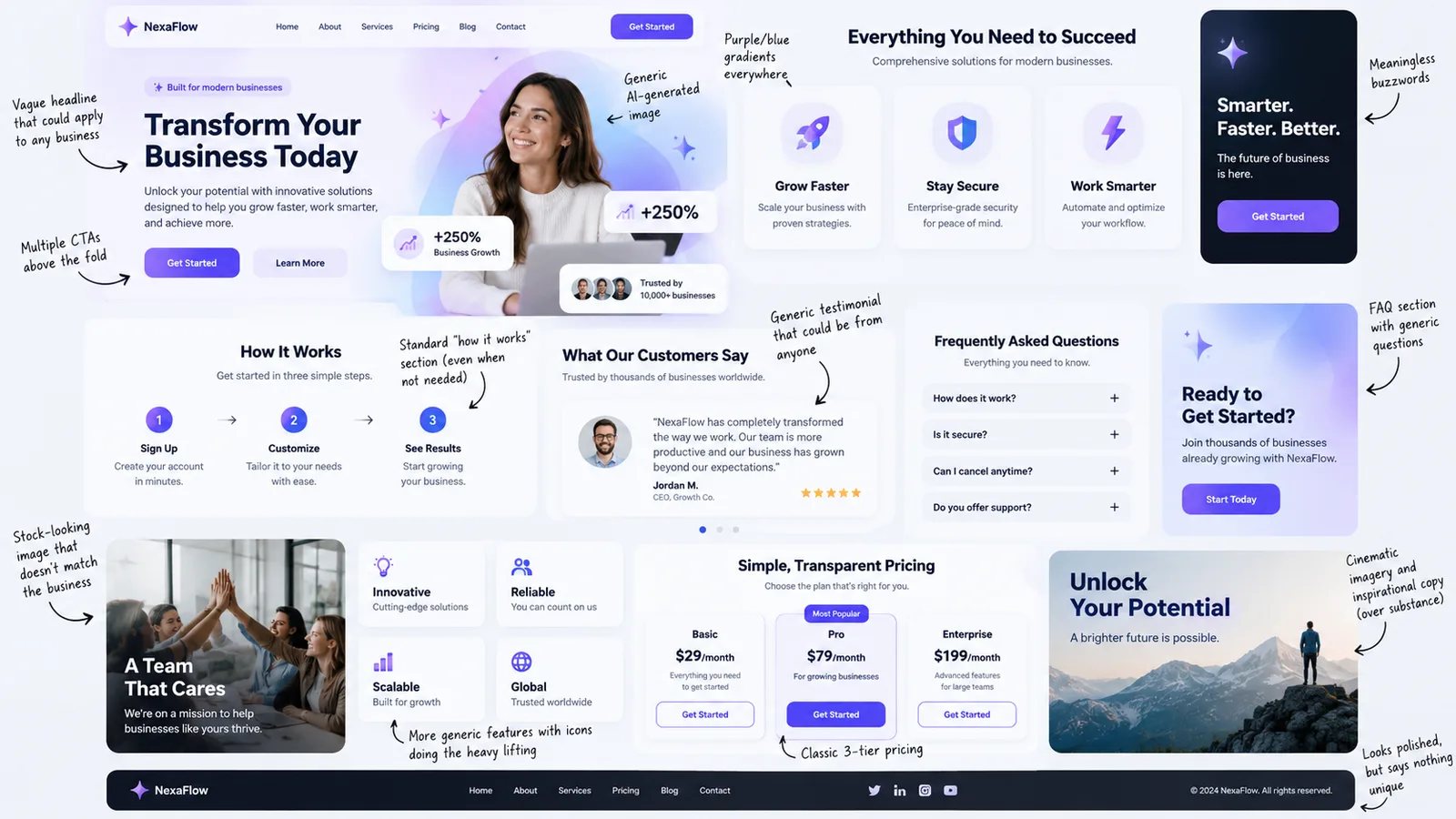
Individually, none of those are mistakes. A pricing table is fine. An FAQ is fine. The problem is the sum: a page assembled entirely from things that work in general, and nothing chosen because it was true of this business in particular.
None of that proves AI was involved, and I’m not claiming I can prove it. Unedited AI output is developing a recognizable look, and your business probably doesn’t want to be recognizable that way. It means somebody needed to edit it, not that it shouldn’t have been generated.
What happened when someone brought us one
A client came to us with a site built by an AI builder. Visually, it looked like a website. Underneath, the contact form was effectively a mailto link. There was no real backend. The site advertised access to a customer portal that had never been built. It wasn’t indexed. There was repeated copy and duplicated imagery. It couldn’t easily be moved or extended, and when it broke nobody could fix it.
I’m not going to pretend that’s every AI-built site, because it isn’t. This is one job, and I couldn’t tell you which tool produced it. But somebody looking at that homepage would reasonably conclude the project was much further along than it was.
Why we usually start with cleanup and sometimes end up rebuilding
If you bring us something you built yourself, I’m not going to tell you it’s garbage. We start by looking at what’s there, and sometimes chunks of it are perfectly good.
But fairly often, once we’re deeper in, I end up recommending more of a rebuild than the owner expected. You should absolutely question that, because we’re a web development company and a rebuild is the more expensive recommendation. Ask me to justify it. That’s a reasonable thing to ask.
The honest reason is that the problem usually isn’t one broken component. The site got made one prompt at a time, and nobody stepped back to decide what it’s for, how a customer moves through it, or what happens after somebody converts. Past a certain point, correcting every individual decision is more work than making the right ones once.
So what are you actually paying for?
Not typing speed. AI is very good at producing code, and we use it in our own builds to move faster through the repetitive parts.
You’re paying for expertise, experience and professionalism. Then, concretely: understanding the brand, setting up workflows so they behave correctly, connecting forms so leads actually arrive, and understanding the human experience of the person on the other side of the screen. That last one is the part AI can’t do yet, and it’s the part that decides whether a site works.
Underneath all of it is accountability: somebody who knows what to ask before anything gets built, knows what to test, and owns the result instead of saying “well, that’s what it generated.” That’s web and app development that ends in a working system: hosted, monitored, wired into your CRM, following up on every lead. We use AI throughout that build and in the business afterward, running chat that answers after hours and follow-up that never forgets.
The code got cheaper. The judgment didn’t.
When to keep going, and when to get another set of eyes
Keep building it yourself when the site is mostly informational, when it’s a personal project or an experiment, when nobody depends on it to run the business, and when rebuilding it later wouldn’t hurt. That’s where these tools shine. Use them.
Start thinking about help when customer information moves through it, when forms need to reach another system reliably, when payments or booking are involved, when a lost lead is a real cost, or when you’re spending more time troubleshooting the site than running the company.
There’s no point at which you’re forbidden from doing it yourself. It’s a risk decision, and it scales with how much your business leans on the thing.
The question that decides it isn’t whether AI can build your website. It can. It’s who understands what got built. If that’s you, keep building.
So try it. Generate a page with the prompting tips above and see how far you get. When it’s live, our free website speed test shows its mobile and desktop speed scores, load times, and Lighthouse SEO score. No email needed. If you hit the point where the page has to become a system, book a strategy call. We’ll tell you honestly whether you even need us. Sometimes the right answer really is the page you already made.
Founder, Cursive Media